
Gamers upgrading their setups often ask: “Is 144Hz to 240 noticeable?” With modern GPUs delivering extremely high FPS, the choice of monitor refresh rate directly affects how smooth gameplay feels, input latency, and overall responsiveness.
Understanding whether you will actually notice the difference between 144Hz and 240Hz is essential before investing in a high-end monitor. This guide breaks down the perceptible differences, explains when upgrading matters, and explores whether the jump from 144Hz to 240Hz is worth it for competitive and casual gamers alike.
144Hz vs 240Hz: How Refresh Rate Affects Gameplay
What is Refresh Rate?
Refresh rate (Hz) indicates how many times a monitor updates per second:
- 144Hz → 144 screen updates per second
- 240Hz → 240 screen updates per second
Higher refresh rates mean smoother motion, reduced blur, and lower input lag.
Why FPS Matters with Refresh Rate
To benefit from 240Hz, your GPU must consistently output close to 240 FPS. If FPS is significantly lower, you won’t notice the full difference.
Is 144Hz to 240 Noticeable?
For Most Gamers:
The difference is subtle. 144Hz already provides very smooth motion and low latency for most gaming scenarios. The jump to 240Hz is noticeable primarily in competitive, fast-paced games, but casual players may not see a major improvement. Using a Bottleneck Calculator can help determine whether your CPU and GPU can actually take advantage of 240Hz performance.
For Competitive Players:
In first-person shooters and esports titles:
- Lower input lag at 240Hz can improve aiming and reaction times
- Smoother frame transitions improve tracking in fast movements
- Micro-stutter and motion blur are slightly reduced
A Bottleneck Calculator is especially useful here to ensure your system isn’t limiting high refresh rate gains.
Perceptual Differences:
- 144Hz → Smooth, responsive, excellent for AAA and esports titles
- 240Hz → Ultra-smooth, highly responsive, small but measurable advantage in competitive games
For many players, the difference between 144Hz and 240Hz is noticeable only when comparing side by side, and confirming system compatibility with a Bottleneck Calculator can help set realistic expectations.
When Is the Jump from 144Hz to 240Hz Worth It?
1. Competitive FPS Titles
- Valorant, CS2, Apex Legends, Call of Duty
- Fast movements and precision aiming benefit from ultra-low input lag
2. High-End GPUs
- GPUs that can consistently render 200–300+ FPS at 1080p
- Pairing high FPS with 240Hz ensures you are seeing all frames
3. Professional or Esports Gaming
- Players in tournaments or high-stakes competitive games benefit from every millisecond of advantage
- Every extra frame improves reaction time slightly
When 144Hz is Enough
For most gamers, including AAA titles and casual esports:
- 144Hz provides smooth motion and low input lag
- Most gamers won’t perceive a noticeable difference in regular gameplay
- GPU utilization is efficient without over-rendering frames
If you don’t consistently hit 240 FPS, upgrading to a 240Hz monitor will not improve your experience significantly.
144Hz vs 240Hz: Visual and Latency Differences
| Metric | 144Hz | 240Hz | Difference |
| Frame interval | 6.94 ms | 4.17 ms | Faster updates reduce input lag |
| Motion smoothness | Smooth | Smoother | Subtle improvement in fast movements |
| Input latency | Low | Ultra-low | Noticeable in high-level competitive play |
| Visual clarity | High | Slightly higher | Minor reduction in blur and ghosting |
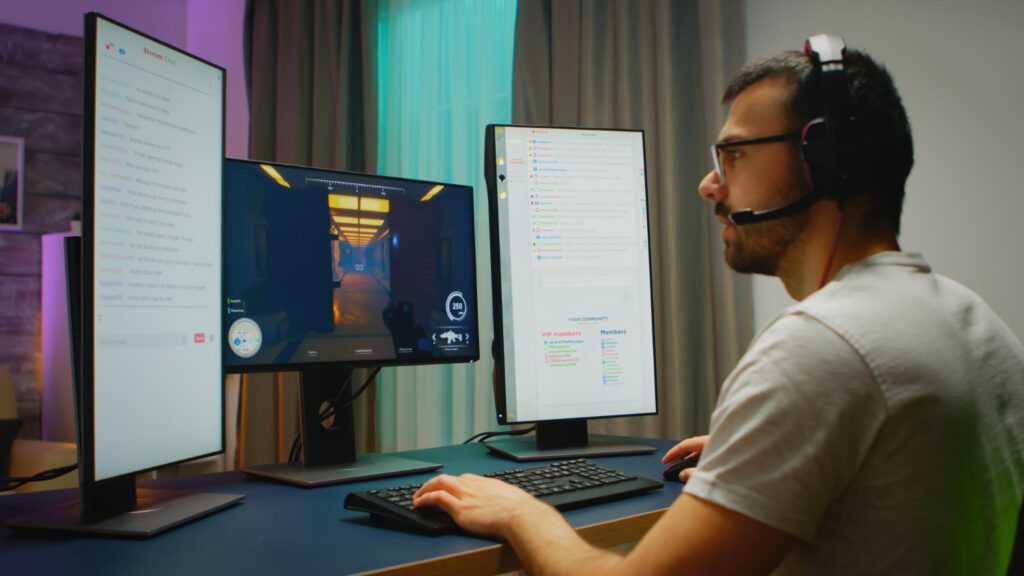
How to Make 144Hz vs 240Hz Noticeable
Even small differences can be enhanced by proper settings:
1. Enable Full Refresh Rate in Windows
- Settings → Display → Advanced Display → Select 240Hz
2. Use High FPS Cap
- Match your FPS to your monitor refresh rate for smoother performance
3. Enable Adaptive Sync
- G-Sync or FreeSync prevents tearing, especially at high FPS
4. Optimize Game Settings
- Maintain consistent FPS close to 240 to fully utilize 240Hz
5. Pair with Low Latency Peripherals
- High polling rate mouse (1000Hz) and mechanical keyboard reduce input lag further
Does 240Hz Benefit Casual Gaming?
- For casual gaming or AAA titles at 60–120 FPS, upgrading from 144Hz to 240Hz is largely unnecessary
- Motion differences are hard to perceive
- 144Hz provides excellent smoothness and responsiveness for most players
The 240Hz upgrade is mainly justified for competitive gaming scenarios.
FAQ: People Also Ask
Is 240Hz noticeably better than 144Hz?
Yes, but mainly for competitive fast-paced games. Casual players may not notice the difference.
Do I need 240Hz if I play AAA games?
No, 144Hz is sufficient for smooth gameplay in most single-player or cinematic titles.
Will 240Hz reduce input lag?
Yes, slightly. Each frame is displayed faster, which can improve responsiveness in high-level competitive play.
Do I need a GPU that can reach 240 FPS?
Yes, to fully benefit from a 240Hz monitor, your GPU should consistently produce close to 240 FPS.
Is the jump from 144Hz to 240Hz worth it?
For competitive esports or pro players, yes. For casual gaming, the improvement is minimal.
Conclusion
The difference between 144Hz and 240Hz is noticeable primarily in competitive, fast-paced games where every millisecond and frame counts. For casual gamers and AAA titles, 144Hz is already smooth and responsive, and the upgrade to 240Hz provides diminishing returns.
If your goal is competitive esports and your GPU can produce 240+ FPS, a 240Hz monitor unlocks the full potential of your hardware. Otherwise, 144Hz remains an excellent choice.For more guidance on monitor selection and system balance, see the Bottleneck Calculator to ensure your CPU and GPU are optimized for high FPS gaming.